

Une puissance maximale pour vos médias !
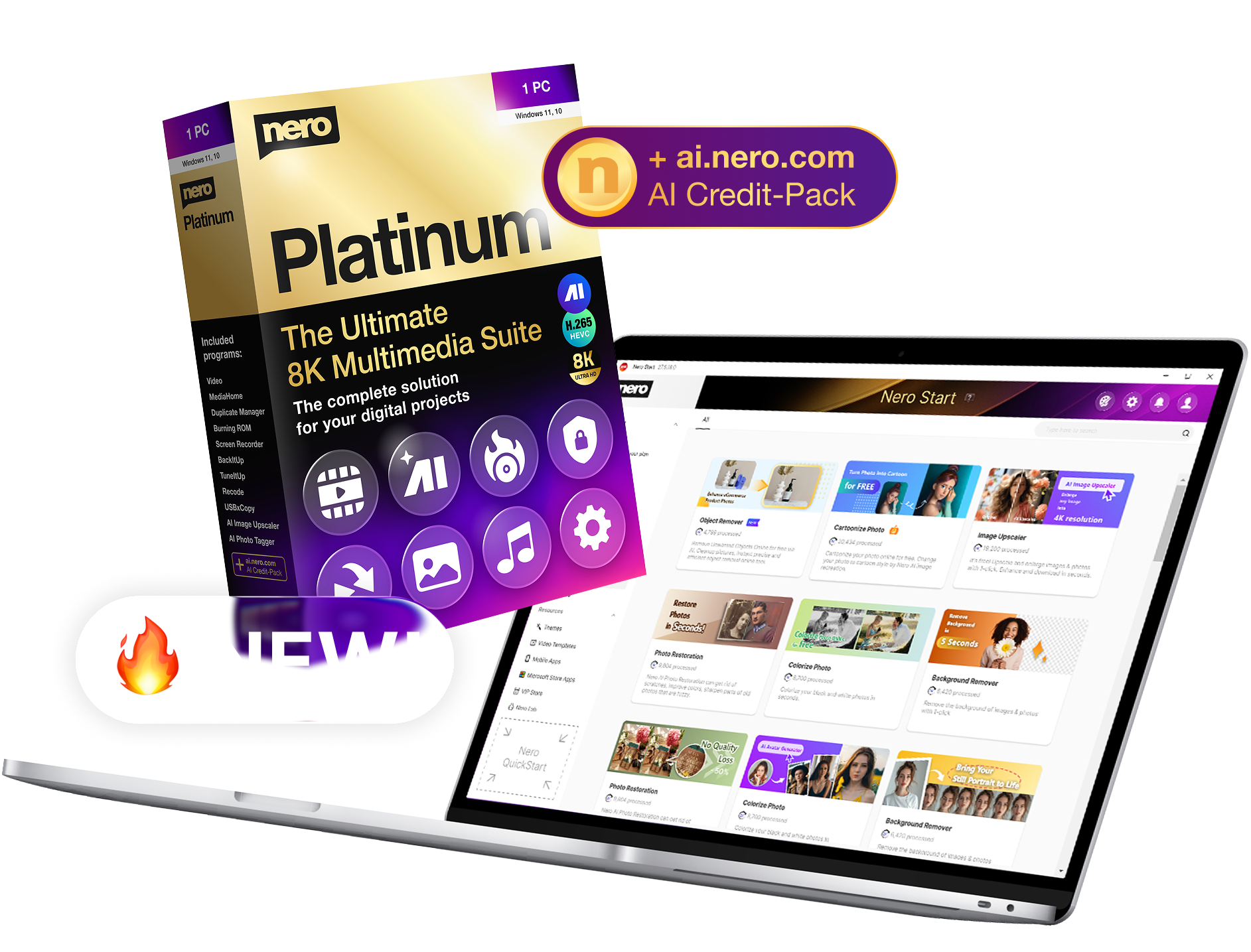
Nouveau: Nero Platinum Suite 2026
La collection complète de logiciels pour vos projets numériques - maintenant au prix de lancement.


Nero Platinum Suite 2026
La nouvelle version de notre suite multimédia tout-en-un établit de nouveaux standards :
plus de puissance, plus de fonctions, plus de confort !
🎬 Vers la vidéo d'information »

Encore plus d'espace sur votre PC
Désormais, Nero DuplicateManager permet également de trouver et de supprimer les fichiers musicaux et vidéo en double.
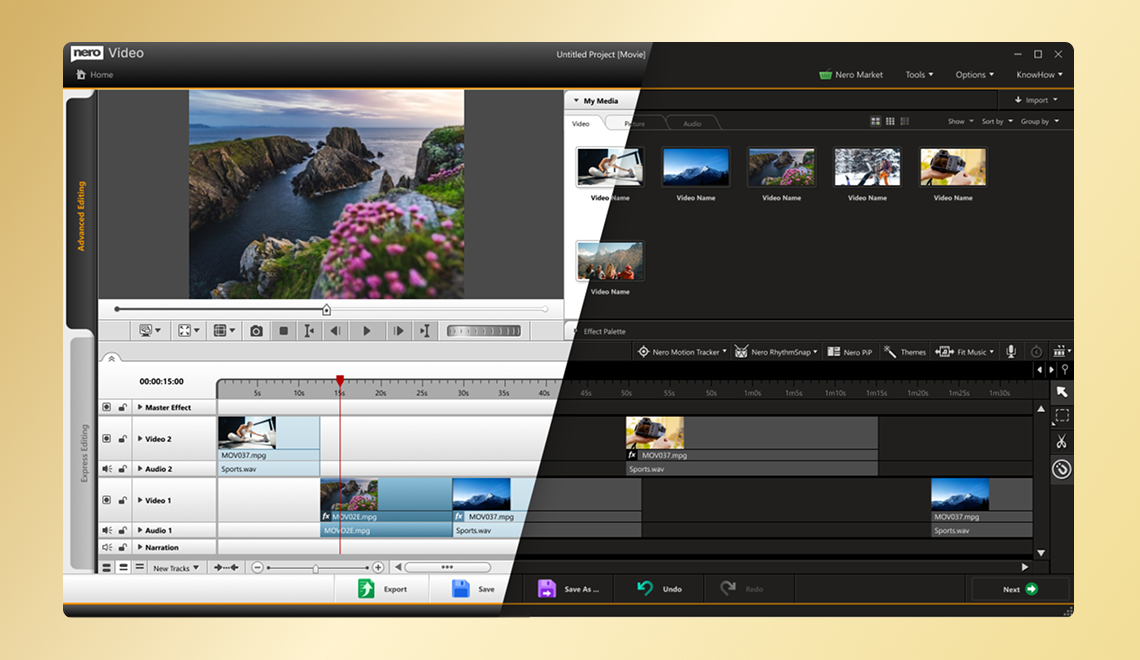
Monter des films de manière plus détendue
Basculez entre une interface utilisateur claire et sombre dans Nero Video.
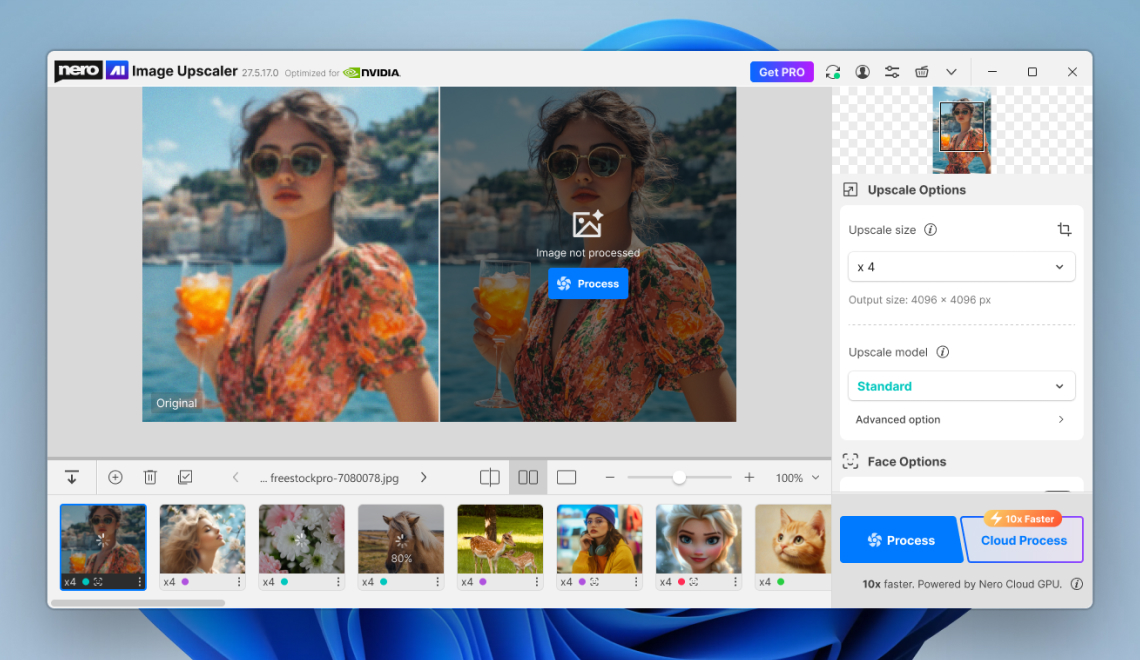
Vos images - maintenant encore meilleures
Nero AI Image Upscaler avec une nouvelle interface et encore plus de modèles d'IA locaux.
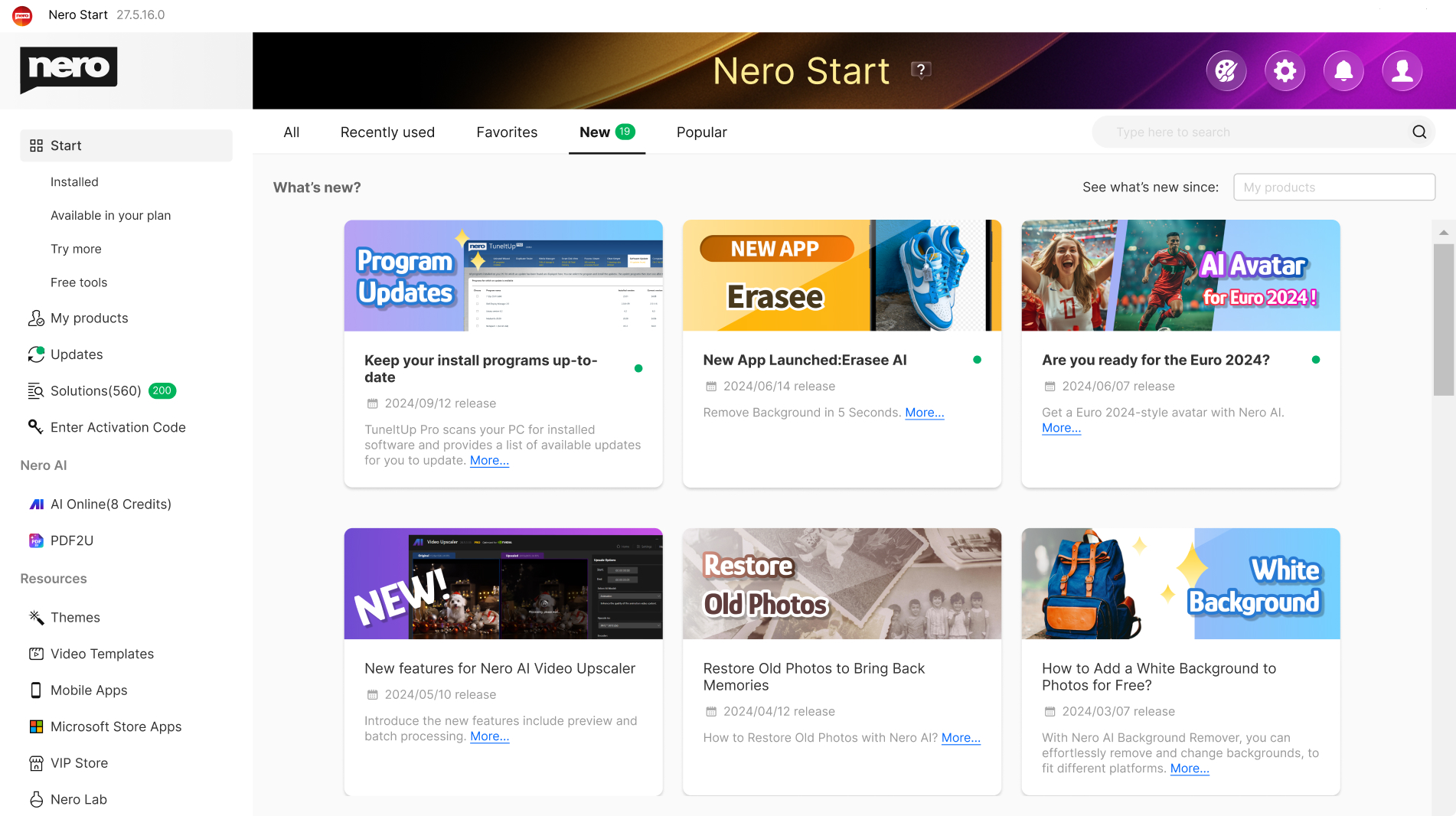
Un clic, tout est là - le point de départ central
Nero Start : votre centrale pour tous les téléchargements et activations Nero
👉 Nero Start (aperçu virtuel). Cliquez ici »
Quelle version vous convient le mieux ?
🙌 Toutes les différences en un coup d'œil : claires, transparentes et équitables.
| Feature | Nero Platinum Subscription | Nero Platinum Unlimited |
|---|---|---|
| Modèle de paiement | Paiement annuel avantageux | Paiement unique |
| Durée | Tant que l'abonnement est actif | Illimité |
| Toujours la dernière version | ✅ Oui, automatiquement | ❌ Non, uniquement la version achetée |
| Mises à jour des fonctionnalités | ✅ Inclus | ❌ Non inclus |
| Fiabilité de la planification | ✅ Oui, prix constant | ✅ Paiement unique |
| Stabilité des prix | ✅ Le prix de l'abonnement ne sera pas augmenté, c'est garanti. | ✅ Paiement unique |
| Nero TuneItUp,
Nero AI Image Upscaler | Version complète incluse | Seule la version de base est incluse |
| 100 crédits Nero AI offerts | ✅ À chaque renouvellement | Unique |
| Idéal pour | Les utilisateurs qui veulent toujours disposer de la dernière version | Utilisateurs souhaitant effectuer un achat unique |
| € 37,95 € 49,95 Économisez dès maintenant » | € 99,95 € 149,95 Acheter maintenant » |
Pourquoi l'abonnement Nero Platinum en vaut la peine
Avec l'abonnement Nero Platinum, vous bénéficiez d'une flexibilité maximale et d'une sécurité pour l'avenir. Vous avez automatiquement accès à la dernière version, y compris aux nouvelles fonctionnalités, aux nouveaux programmes et à l'assistance IA moderne, sans frais supplémentaires ni frais de mise à niveau.
👍 Particulièrement important : Une fois souscrit, le prix de l'abonnement Nero n'a jamais été augmenté au fil du temps et aucune fonctionnalité existante n'a jamais été restreinte. Vous conservez ainsi en permanence l'ensemble des fonctionnalités à des conditions équitables et fiables.
L'abonnement est donc le choix idéal pour tous ceux qui souhaitent rester à jour sans se soucier des mises à jour, des coûts supplémentaires ou des pertes de fonctionnalités.
🔔 NEWS: Windows supprime les informations sur les CD
Fin 2025, Windows cessera de reconnaître automatiquement les métadonnées des CD. Si vous souhaitez continuer à utiliser ce service, nous vous recommandons d'utiliser Nero MediaHome ou Platinum. Notre service restera fiable et actif, c'est garanti.

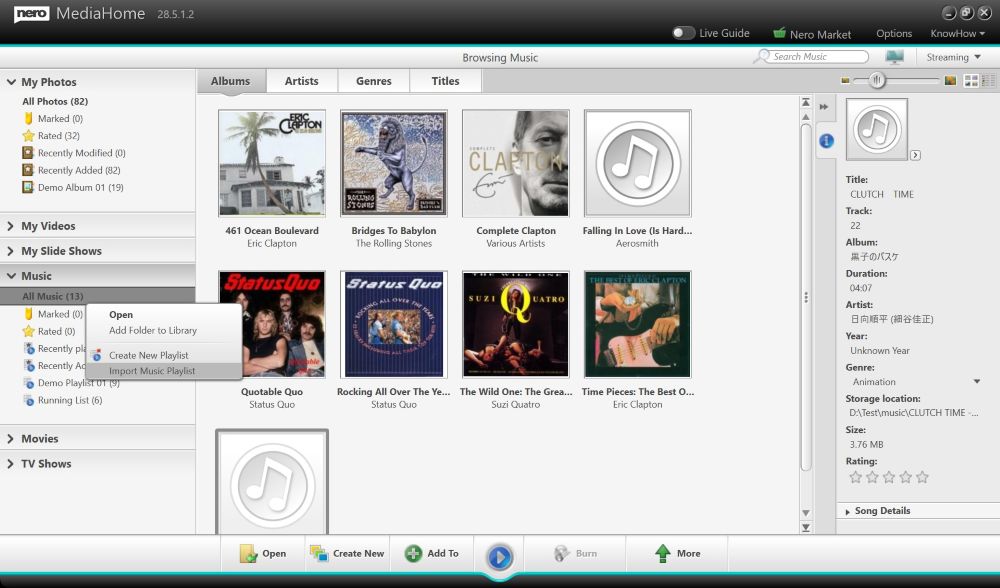
Plus d'informations sur Nero MediaHome »
Nero Platinum 2026 »
La solution adaptée à chaque projet


Plus jamais de chaos dans votre cher album photo grâce au nouveau Nero AI : Vous pouvez désormais organiser les photos, étiqueter, noter et rechercher des images encore plus facilement. La reconnaissance de scènes basée sur l'IA vous permet de garder le contrôle, d'attribuer des noms aux visages et de reconnaître plus rapidement les images doubles ou similaires, qui peuvent être facilement supprimées. Triez vos photos par lieu et visualisez vos aventures sur la carte du monde, ou affichez toutes vos photos dans une chronologie claire. L'édition de photos en un clic est bien sûr incluse. Et il fonctionne localement sur votre PC, sans nuage !

Créer un petit chef-d'œuvre cinématographique à partir de vos souvenirs émouvants en un clin d'œil : Des centaines de modèles de thèmes de haute qualité pour les fêtes, les occasions et les événements vous soutiennent dans ce processus. Créez des vidéos avec des effets d'incrustation d'image, de canal alpha, d'inclinaison, de ralenti et d'accéléré. Montez, coupez et exportez vos vidéos. Obtenez des images plus nettes que la réalité grâce à la fonction de lecture 8K. Impressionnez vos amis et diffusez votre chef-d'œuvre sur le grand écran. En guise de cadeau, vous pouvez graver votre film sur un disque optique.

La musique revigore l'esprit ! Maintenant, profitez et découvrez vos stars d'une toute nouvelle manière : Enregistrez vos chansons préférées à partir de tous les services de streaming musical facilement, rapidement, légalement et dans la meilleure qualité. Modifiez et coupez vos fichiers musicaux selon vos souhaits (effets, fondu en entrée/sortie, volume, etc.). Importez votre collection de CD et modifiez facilement les métadonnées telles que l'artiste, le genre et la couverture de l'album.

Vos données sont importantes pour nous ! Des solutions de sauvegarde pratiques et sécurisées pour vous : Sauvegardez vos précieuses données rapidement et facilement sur des disques durs externes, des supports optiques et maintenant même sur votre cloud (Google Drive, OneDrive, MagentaCLOUD, HiDrive, pCloud et QLOUD). Créez des sauvegardes automatisées, des instantanés incrémentiels et une gestion des versions. Protégez vos données grâce au cryptage 256 bits pour les CD, DVD et clés USB.
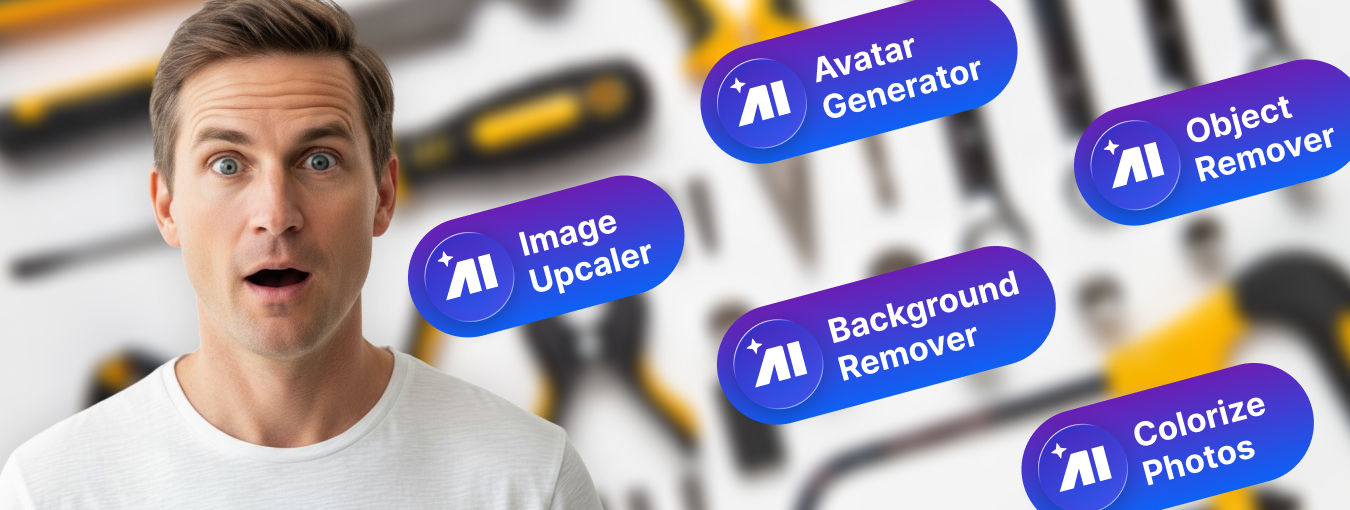
Nero Platinum offre de nombreux autres outils qui complètent parfaitement votre PC Windows : par exemple en récupérant les données supprimées, en cryptant facilement vos données personnelles ou en formatant et dupliquant les médias de manière fiable. Avec Nero Platinum, vous disposez d'une boîte à outils qui vous équipe pour toutes les éventualités.
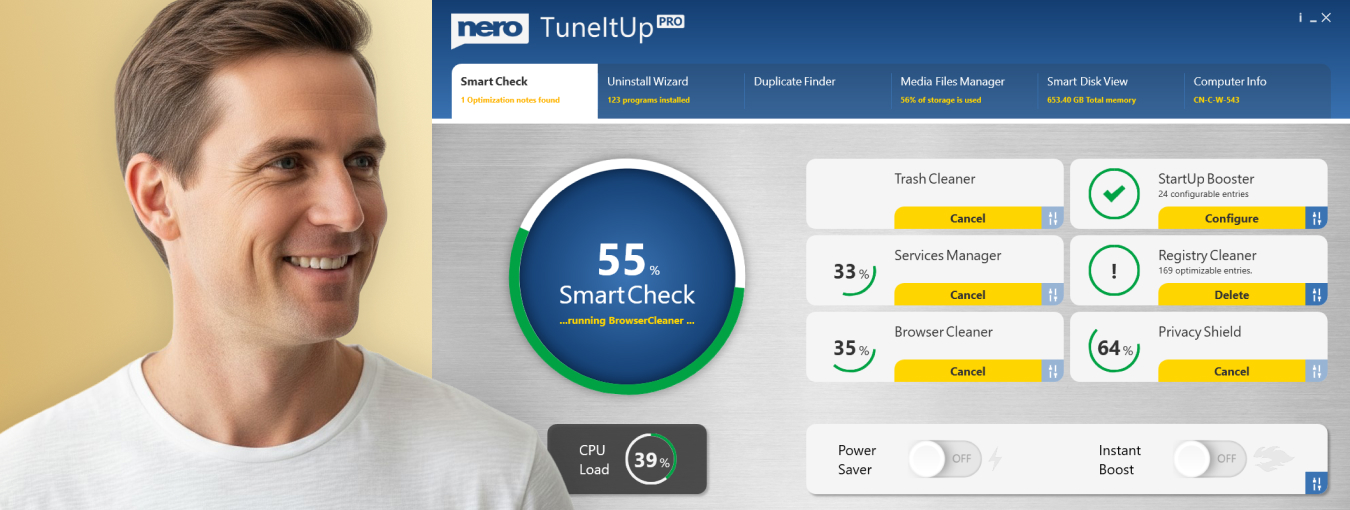
Rien n'est plus ennuyeux qu'un PC lent. Nous vous donnons plus de performances : A partir de maintenant, optimisez et accélérez comme un pro : Nero rend votre PC plus rapide, met à jour vos pilotes et améliore votre vitesse Internet. Nous vous donnons un contrôle total sur les performances de votre PC. Vous décidez si vous voulez résoudre les problèmes de PC un par un ou tous en même temps.
Que contient la nouvelle suite Nero Platinum ?

- Nero Video: Créez, modifiez et exportez des vidéos et des diaporamas.
- Nero AI Image Upscaler: Agrandit et affine vos photos localement sur votre PC à l'aide de l'intelligence artificielle. Vous jouez ainsi la carte de la sécurité, car vous n'avez pas besoin de télécharger vos photos privées sur un cloud.
- Nero AI Photo Tagger: Ordre et structure dans vos archives photos grâce à l'intelligence artificielle.
- Nero Burning ROM: Déchirer, copier, graver et protéger les données.
- Nero TuneItUp PRO: Rend votre PC plus rapide et améliore votre vitesse d'accès à Internet. (Inclus uniquement dans la version 1 PC / 1 an)
- Nero DuplicateManager: Nettoie vos archives d'images des images exactes, dupliquées et similaires de manière rapide et précise.
- Nero MediaHome: Le centre pour archiver, trier, créer et lire vos fichiers.
- Nero Recode: Convertissez et extrayez des vidéos et de la musique dans tous les formats standard pour vos appareils mobiles.
- Nero BackItUp: Sauvegardez vos données rapidement et facilement sur un disque dur externe, un support optique ou le cloud.
- Nero USBxCopy: Cet outil vous aide à copier vos données sur plusieurs périphériques USB en même temps.
- Nero Screen Recorder: Créez des enregistrements d'écran selon vos idées en un seul clic. (Seule la version de base est incluse)
- Nero Score: Effectuez un test de vitesse et poussez votre PC à ses limites.
- Nero Motion Tracker: Détecter et pixelliser automatiquement les objets en mouvement
- Nero PhotoSnap: Faites briller vos photos d'un nouvel éclat
- Nero Soundtrax: Numérisation des supports sonores et réalisation de projets audio
- Nero WaveEditor: Enregistrer le son du PC et enregistrer des fichiers audio
- Nero Express: Gravez simplement vos données et vos supports
- Nero CoverDesigner: Personnalisez vos disques
- Nero Face Beautifier Éliminez les rides et améliorez votre teint pour briller sous votre meilleur jour.
- Nero Rescue Agent: Récupération de fichiers sur des disques et des lecteurs endommagés
- Nero Disc to Device: Transférer les médias des disques vers les appareils
Nero Platinum – étonnamment bon.

Nouveau: Nero Platinum Suite 2026
Plus de puissance, plus de fonctions, plus de confort !
- Tout dans une seule suite : édition de photos, vidéos et musique plus sauvegarde et gestion
- Plus de puissance que jamais : plus de 500 solutions avec un soutien AI de pointe
- Simple et fiable : La collection multimédia la plus puissante de tous les temps
La sécurité avant tout
Paiement simple et sûr


Acheter sans risque

L'original

Néron en chiffres

Satisfaction

Installations

Langues