|
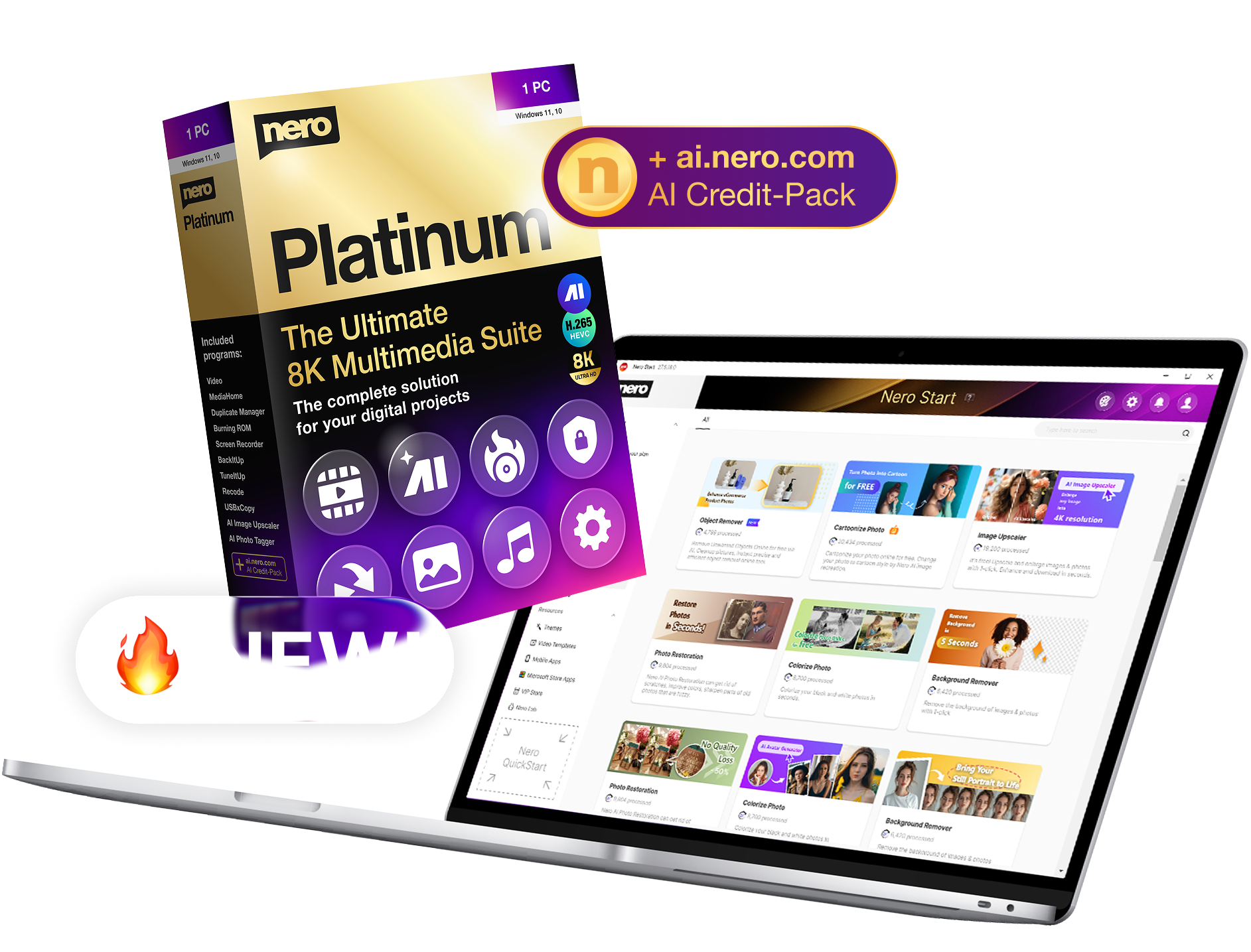
The wait is over. The all-new Nero 11 is here!
The World's Best-Selling Multimedia Software* | ||
|
Get the latest and greatest features.
|
Download
US $99.99
US $79.99
Retail box
US $99.99
US $79.99
SAVE US $20 | |
Make the most of your photos, music and videos!
|
Nero 11 empowers you to create and share your photos, music and videos like never before. The complete 360-degree experience offers easy-to-advanced video editing, innovative video file conversion technology for viewing movies on any device, plus burning and backup to support your complete digital life style.
|
|
|
|
|
|
|
360° Experience for Your Photos, Music & Videos
![]() |
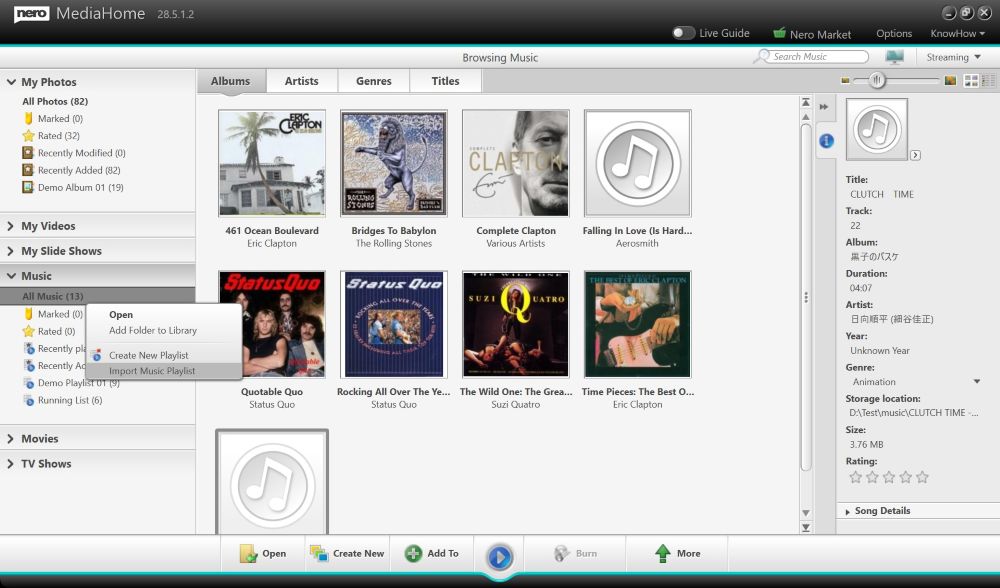
Integrated Nero MediaBrowserOne-stop access from Kwik media library to your project.The all-new Nero MediaBrowser gives you a jump start on projects. From most projects you can access your library of music, photos and videos with just one click. Drag-and-drop photos, videos or music files from Nero Kwik Media library into your project for a seamless integrated experience. |
![]() |
Create photo booksDelivered from your PC to your door.Create lasting photo book, calendar and card memories with your family pictures in just seconds, and share with friends and family. No matter what the occasion, you can edit and create beautiful bound books, calendars and cards for gift-giving or for your own keepsakes. Best of all, you can showcase your beautiful pieces with professional printing, and have it delivered right to your door. |
![]() |
Convert DVD-Video* and video filesMultiple video files-no problem.From videos on your mobile phone to DVD movies, every device seems to require a different playback format. Nero 11 provides advanced video transcoding that converts virtually any DVD-Video or video file to any video format for playback on any device so you can seamlessly watch your favorite videos anywhere or any place. * Non-copy protected DVD-Video |
![]() |
Import Windows Live Movie Maker™ projectsElevate your movie projects.Import and edit Windows Live Movie Maker projects directly within Nero 11. Open Windows Live Movie Maker video files directly, then immediately begin enhancing the original project with more effects for professional results, all within a seamless editing experience. Use Nero's Advanced Editing features to give your videos the professional touch. |
![]() |
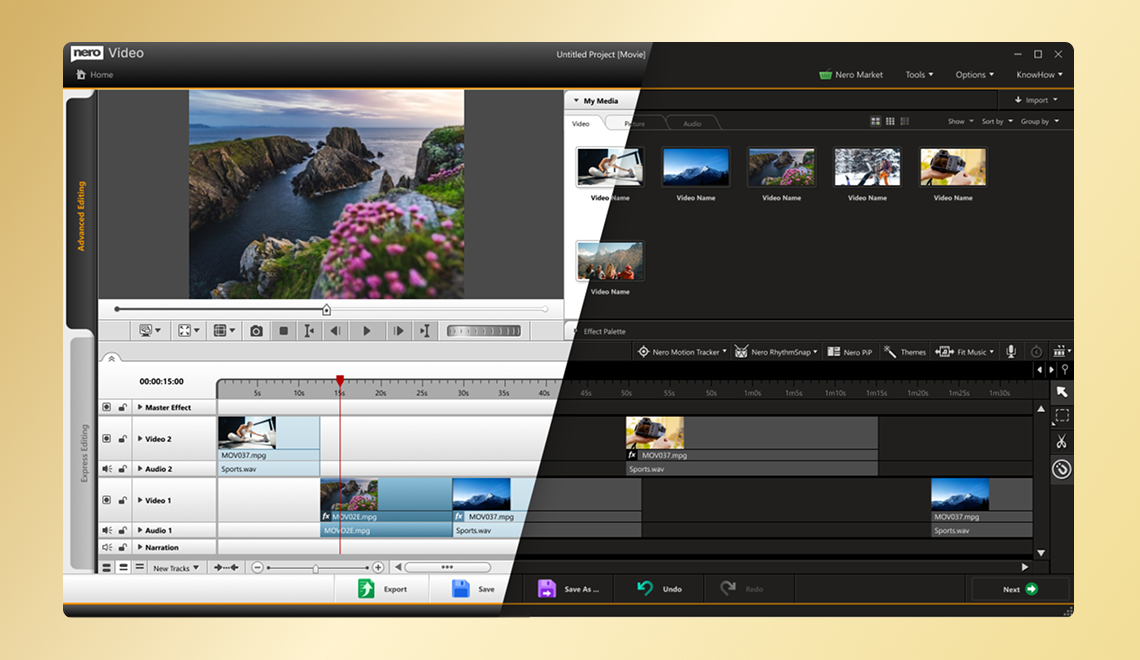
Easy and Advanced Video Editing ModesGo from Easy to Advanced with a click.Get amazing creative results no matter what level of video editing experience you have. Easily switch from Express Editing Storyboardv to advanced multi-track editing with just one click, and seamlessly hand over the same project within the same window. Go from quick and easy template effects to multi-track editing, keyframe controls within the same video editing screen, amazing Picture-in-Picture effect overlay templates and more. Ramped up to give you the best output, your home video projects will impress your friends and family like never before. |
![]() |
Nero LIVEBackup24-7 Peace-of-mind backup.Take the hassles out of backing up with one-click Nero LIVEBackup for all your digital files and even your entire system. You can still choose manual backup, but only Nero LIVEBackup gives you continuous true peace of mind anytime, all the time. |
![]() |
Burn long lasting discsCreate discs that last and last.Expect nothing less than the best with the experts who started burning. Exclusive Nero SecurDisc 3.0 with Surface Scan helps ensure disc readability regardless of scratches, age and deterioration so your content remains intact for a long time. |
![]() |
Ripping of DVDsDVD-Videos ripped with just a click.Move your movies from DVDs straight to your PC with one-click ripping. Put all your DVD and Blu-ray Disc movies* into one Media Library by ripping to your PC. Advanced settings let you rip exactly what you want—strip out unwanted sections, foreign languages, extras and more. * Non-copy protected DVD-Video |
Make life easier with these applications specially included for all your digital media needs.
Applications
Nero Burning ROM 11
|
Nero BackItUp 11
|
Nero Video 11
|
Nero Recode 11
|
Nero Kwik Media
**Nero photo products can only be ordered by and shipped to users resident in the following countries: United States, and Canada. |
Apps (Included)
Nero Kwik Burn
|
Nero Kwik Play
|
Nero Kwik Faces
|
Nero Kwik DVD
|
Creative Add-ons (Included)
Nero Kwik Themes 1
|
Nero Kwik Themes 2
|
Nero Video Effects 1
|
Nero Disc Menus 1
|
Nero Disc Menus 2
|
Nero Disc Menus 3
|
Nero Clipart
|
Nero Backgrounds
|
Nero Image Samples
|
Nero Video Samples
|
How much more do you get with Nero 11? A lot.
Nero 11 brings you the most comprehensive, cutting-edge set of advanced video editing, burning and backup features, plus even more professional-style tools, all in one exceptional suite. See how your version compares with our most advanced suite ever.
Included
Limited functionality or not always included
TrialSupported Operating Systems
Nero 11 Platinum Nero 11 Nero 11 Essentials Nero Video 11 Nero Burning ROM 11 Nero BackItUp 11 Nero 10 Platinum HD Nero 10 Nero 10 Essentials Nero 9 Nero 9 Essentials Nero 9 Lite Nero 8 Nero 8 Essentials Nero 7 Nero 6 Compatible with Windows® XP 


Optimized for Windows Vista® 


Compatible with Windows® 7 


Nero Tutorials and Support
Nero 11 Platinum Nero 11 Nero 11 Essentials Nero Video 11 Nero Burning ROM 11 Nero BackItUp 11 Nero 10 Platinum HD Nero 10 Nero 10 Essentials Nero 9 Nero 9 Essentials Nero 9 Lite Nero 8 Nero 8 Essentials Nero 7 Nero 6 Integrated access to online step-by-step tutorials and manuals 


Network with My Nero community, share blogs and tips with other Nero users 


Nero Kwik Media Store add-ons and updates 


Media Organizer
Nero 11 Platinum Nero 11 Nero 11 Essentials Nero Video 11 Nero Burning ROM 11 Nero BackItUp 11 Nero 10 Platinum HD Nero 10 Nero 10 Essentials Nero 9 Nero 9 Essentials Nero 9 Lite Nero 8 Nero 8 Essentials Nero 7 Nero 6 Complete media management for photos, music and videos 


Easily search & locate music, photos or videos 


Stack View & sort media library for easier browsing 


Zoom library viewing 


Easily create playlists 


Automatically retrieve music information via Gracenote (album art, title, artist, year, etc.) 


Display window for music data information while playing back music 


Import from Windows® 7 libraries, and user selected devices, folders and drives 


Sync photos to mobile devices 


Sync videos to mobile devices 


Sync music to mobile devices 


Nero MediaBrowser for access to Nero Kwik Media library from all creative suite applications 


Share media assets to social communities 


Tag & autodetect faces in photos 


Preselect media assets for projects using flags 


Organize media assets into albums 


View and change metadata of media assets 


Playback Music, Video, Photo
Nero 11 Platinum Nero 11 Nero 11 Essentials Nero Video 11 Nero Burning ROM 11 Nero BackItUp 11 Nero 10 Platinum HD Nero 10 Nero 10 Essentials Nero 9 Nero 9 Essentials Nero 9 Lite Nero 8 Nero 8 Essentials Nero 7 Nero 6 Play Blu-ray Discs in stunning picture and sound quality 


Play video, photo and music files and discs 


Play music or disc in Windows® 7 Thumbnail Toolbar 


High Quality MP3 Pro and MP3 Surround Encoding 


Play 'FLAC Lossless Audio' and AIF file formats for best audio quality 


Play Audio CDs 


Play MP3s (non DRM) songs 


Play WMA (non DRM) songs 


Play AVCHD, AVC h.264, AVCREC, Matroska, Flash Video , MPEG 2, MPEG4, DivX, Xvid and more 


Play commercial Hollywood DVD-Videos with Dolby® Digital 2 channel sound 


Play commercial Hollywood DVD-Videos with Dolby® Digital Surround Sound up to 5.1 channels 


Easy Create & Edit Video, Photo Slideshows
Nero 11 Platinum Nero 11 Nero 11 Essentials Nero Video 11 Nero Burning ROM 11 Nero BackItUp 11 Nero 10 Platinum HD Nero 10 Nero 10 Essentials Nero 9 Nero 9 Essentials Nero 9 Lite Nero 8 Nero 8 Essentials Nero 7 Nero 6 View & browse digital camera photos 


Play instant slideshows from tagged photos or videos 


Crop and enhance digital photos 


Undo specific layers in your edit history 


Storyboard layout for arrange photos and videos for slideshows 


Trim and edit photos and videos in slideshow creator 


Apply one-click Themes to slideshows 


Create DVDs or Blu-ray Disc videos with one click 


Publish slideshows direct to online communities 


Automatic image enhancing 


Express & Advanced Video Editing
Nero 11 Platinum Nero 11 Nero 11 Essentials Nero Video 11 Nero Burning ROM 11 Nero BackItUp 11 Nero 10 Platinum HD Nero 10 Nero 10 Essentials Nero 9 Nero 9 Essentials Nero 9 Lite Nero 8 Nero 8 Essentials Nero 7 Nero 6 Easy task function Start Screen 


Capture from analog devices like VHS, SVHS, Video 8, Hi8 (compatible capture card required) 


Capture analog and digital TV recordings (compatible capture card required) 


Automatic scanning of DV or HDV video tape to capture only wanted scenes 


Import assets Nero Kwik Media library via Nero Media Browser 


Import and enhance Windows Live Movie Maker projects 


Import from any AVC Camera 


Import and edit High Definition video (eg.from an AVCHD camcorder) 


Fine-tune projects started in Nero Kwik Media with the ultimate creative touch in Nero Video 


Browse and select assets based on categories and filters 


Select video, transition and text effects based on categories and filters 


On-screen text editing, scaling and rotation 


Scalable preview SD to HD 


Full screen arranger for easy arranging of assets 


Express Editing Mode for fast creative video editing 


Simplified multi-track editing with Express Picture-in-Picture templates 


Switch from Express Editing Mode to Advanced Editing Mode with one click 


Advanced Editing Mode with Picture-in-Picture Effect Generator 


Advanced multi-track video editor with full effect and keyframe control 


Create multiple video and audio tracks for true multi-track editing 


Advanced video overlay handling - e.g.: Video Overlay, Picture-in-Picture, Chroma Key, Position, Scale, Rotation 


Advanced video effects - e.g. Pan & Zoom, Chroma Key, Image Matt, Lens Distortion, Sharpen, Edge Feathering, Earthquake and more 


Complete keyframe handling for dynamic animation and editing of video effects 


Apply effects to entire project with master effect track (e.g. old film, sepia, individual film color, etc.) 


Apply audio rubberbanding and waveform display for fine tuning audio volume 


Apply Express Video and audio effects 


Apply advanced audio effects 


Apply advanced video effects 


Apply video transition effects 


Apply audio transition effects 


Apply Pan & Zoom effects 


Real-time background rendering for optimized HD performance 


Automatically extract music from recorded TV shows and export to MP3 


Easily detect and remove commercials from TV recordings 


GPGPU Hardware accellerated AVC encoding 


Automatic SmartEncoding setting 


Support for SmartEncoding flexible mode 


Enhance quality of standard SD clips to HD resolution 


Apply high quality MovieThemes with 2D and 3D scenery effects, titles, credit screens, and seamless audio tracks to your movies 


Export HD movie projects to flash media devices in AVCHD format for superior playback without requiring disc player equipment 


Easy & Advanced Video Authoring
Nero 11 Platinum Nero 11 Nero 11 Essentials Nero Video 11 Nero Burning ROM 11 Nero BackItUp 11 Nero 10 Platinum HD Nero 10 Nero 10 Essentials Nero 9 Nero 9 Essentials Nero 9 Lite Nero 8 Nero 8 Essentials Nero 7 Nero 6 Create cinema-quality HD movies to Blu-ray Disc 


Convert PowerPoint presentations to DVD or Blu-ray Disc for HDTV playback. 


Author High Definition Blu-ray Discs with high quality animated menus including 24 progressive frame format for playback on HDTVs 


Fully integrated preview and content screen for easy asset organizing 


Create DVD-Video discs from various video files for playback on all standard DVD Players 


Individually customize and link menus 


Author & burn High Definition video (eg.from an AVCHD camcorder) 


Support for 24p authoring for highest quality Blu-ray video 


Create High Definition Blu-ray discs with high quality animated menus (Blu-ray Disc Authoring Plug-in included) 


SmartEncoding for MPEG 2 to DVD-Video, MPEG 2 HD and AVCHD to Blu-ray Disc, and AVCHD to High Definition DVD Disc 


High quality Menu TemplatePacks for creating abstract, 2D and 3D Hollywood style DVD video menus (for DVD/AVCHD/Blu-ray Disc) 


Export to flash media devices high definition movies in AVCHD format for highest quality playback without an optical drive 


Import Microsoft PowerPoint® presentations and convert to DVD-Video or Blu-ray Disc for TV playback 


Supplement DVD or BD-Video discs with a 5.1 Dolby Digital Surround Sound 


Publish video projects to online social communities 


Multimedia Tools
Nero 11 Platinum Nero 11 Nero 11 Essentials Nero Video 11 Nero Burning ROM 11 Nero BackItUp 11 Nero 10 Platinum HD Nero 10 Nero 10 Essentials Nero 9 Nero 9 Essentials Nero 9 Lite Nero 8 Nero 8 Essentials Nero 7 Nero 6 Create custom CD and DVD covers and labels 


Digitize music from vinyl records and cassette tapes to PC 


Quickly and easily edit digital music files 


Professionally edit and mix audio projects 


Support for VST audio plug-ins for more audio effect choices 


Convert video files from virtually any format to all common output formats 


Batch encoding for execution of multiple planned jobs 


Drop Zone for easy job setup 


GPGPU Hardware accellerated media conversion 


Create 5.1 surround sound mixes for your video projects 


Compress dual layer DVD video to single layer standard DVD and burn to disc 


Convert digital music into desired formats 


Convert videos to mobile devices (Android, Smartphone, Tablet, PSP, iPod, etc) 


Backup, Recover
Nero 11 Platinum Nero 11 Nero 11 Essentials Nero Video 11 Nero Burning ROM 11 Nero BackItUp 11 Nero 10 Platinum HD Nero 10 Nero 10 Essentials Nero 9 Nero 9 Essentials Nero 9 Lite Nero 8 Nero 8 Essentials Nero 7 Nero 6 Backup and restore of selected files and folders in a few easy steps 


Backup selected drives or the entire operating system in a few easy steps 


Incremental operating system backup 


Autobackup of important files secure online storage 


5 GB online storage included for 1 year for LIVEBackup 


One-click automatic backups 


One-click automatic backups of the complete system (incl. operating system) 


Schedule backups with various methods, compression and encryption levels 


Copy' backup method for direct file access 


Search within a backup and collect files to restore in one step 


Restore former versions of saved files 


Recover damaged or deleted files from hard drives, CDs, DVDs, and flash drives 


Automatic detection of Network Attached Storage (NAS) share devices 


AES-NI support for hardware accelerated backup compression 


Sync files and folders to a variety of storage media 


Burning, Copying
Nero 11 Platinum Nero 11 Nero 11 Essentials Nero Video 11 Nero Burning ROM 11 Nero BackItUp 11 Nero 10 Platinum HD Nero 10 Nero 10 Essentials Nero 9 Nero 9 Essentials Nero 9 Lite Nero 8 Nero 8 Essentials Nero 7 Nero 6 Copy CDs and DVDs 


Copy Blu-ray Discs 


Burn CDs and DVDs 


Burn Blu-ray Discs 


SecurDisc - Increase the lifespan and reliability of burned discs 


SecurDisc Surface Scan for enhanced data reliability 


Password protection for files and folders 


Span oversized backups over multiple CDs, DVDs or Blu-ray Discs in any combination 


Burn large amounts of data to Blu-ray Discs 


Copy and compress non-copy protected DVD-Videos to fit on smaller target media 


Burn discs from downloaded disc images 


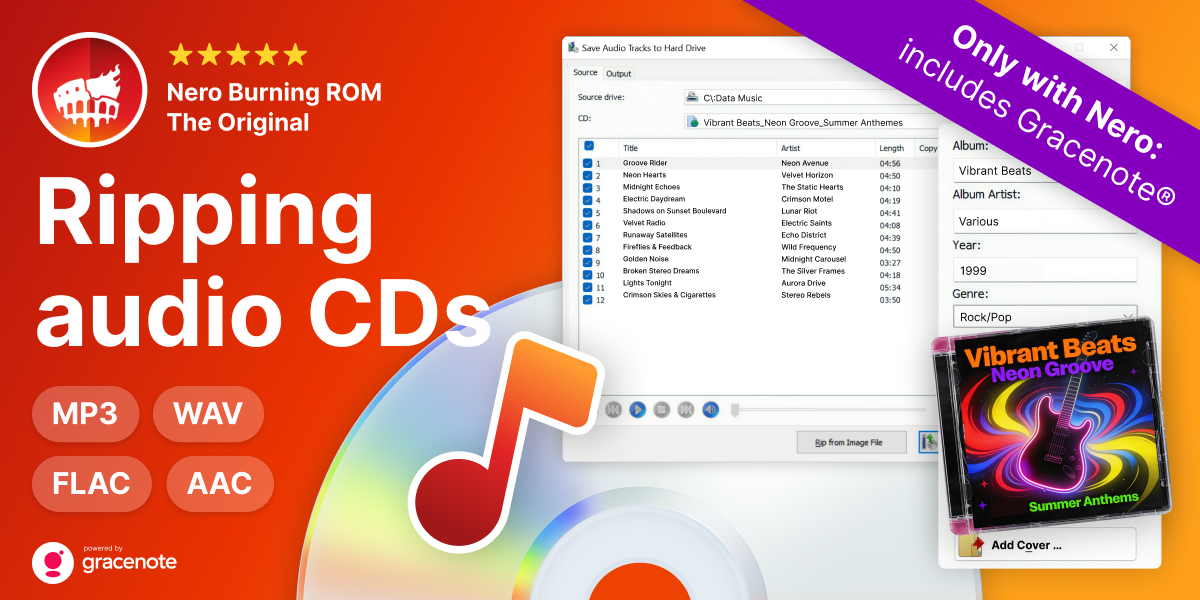
Automated Audio-CD ripping into desired formats 


Automatically convert MP3s to Audio-CD format 


Included
Limited functionality or not always included
Trial*Based on market analysis of 2009 software retail sales, including US data (reported by NPD-Group in the CD/DVD Utilities category), and European data (according to GfK Group: the best selling CD/DVD Writing Software in Retail Channels in Germany, France & UK).

Online Shop
English (Change)