Nero

Product FAQs


Have questions about Nero 11? Here are some answers to the most frequently asked questions.


General Questions

Nero 11 is the latest update of the world’s best-selling multimedia software. It offers video, photo and music hobbyists an integrated suite of technologically advanced, easy-to-use applications that help them make the most of their media.

Nero 11 features significant usability enhancements throughout the entire suite. Its new “getting started” experience makes it easier than ever to understand how to use each of the applications in the suite.

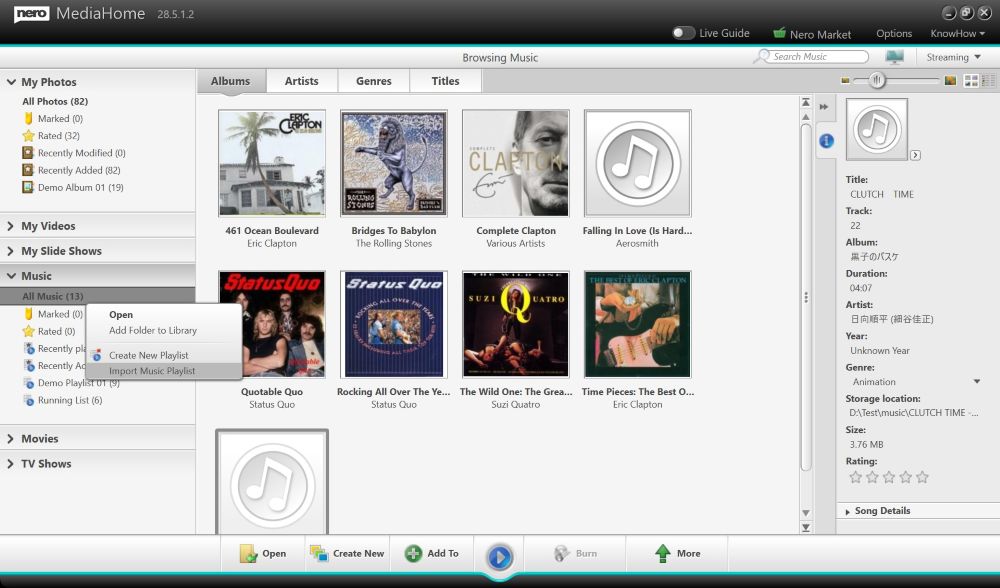
The new Nero MediaBrowser works with Nero Kwik Media to unify the Nero 11 suite. It provides quick access to the Nero Kwik Media library from all of the Nero 11 applications so you can easily access the content you want and work on your projects faster.


Adding content to your Nero Kwik Media library is also much easier, especially from mobile devices. With Nero Kwik Mobile Sync app and Nero Kwik WiFi Sync app for Android devices, you can now easily import or sync content between your PC and Android-powered smart phones and tablet devices via USB and Wi-Fi connections.


The latest version of Nero Kwik Media in Nero 11 now gives users the ability to create photo books, calendars and cards from within the application.


Nero Video 11 has been updated with powerful new features for both novice and advanced users. Its Express Editing mode features an enhanced storyboard view, themed templates and sophisticated effects make it easy to get started creating video projects. Advanced users can switch to a multi-track timeline view for even greater precision and control.


Nero Recode 11 has been completely reconstructed to make it effortless to rip and shrink non-copy protected DVDs and convert virtually any commonly used video file to different formats such as MKV and MPEG4 for playback on PCs, portable and home entertainment devices. Users can optimize their files using pre-defined or shareable custom device profiles, as well as quickly find the perfect balance between video quality and file size.


With the one-time flip of a switch in Nero BackItUp 11, users can automatically and routinely back up their entire system or just their multimedia media content to local, networked or online drives. Nero BackItUp 11 adds LIVEBackup, which allows users to restore complete systems, single partitions or single files.


Nero 11 also provides feature updates for Nero BurningROM and it is integrated with the Nero MediaBrowser. The SecurDisc Surface scan feature checks the surface of optical discs for errors that would impede the readability of the data.


Nero 11 can be expanded with add-ons and apps that allow users to customize its capabilities as they need.

Nero 11 is the best suite yet to help you make the most of your media. It offers much improved hardware and device support, greater functionality and substantial usability improvements.

Nero Kwik Media is a media management tool that is one component of Nero 11. The full suite includes several other applications – Nero Video, Nero BackItUp, Nero Recode and Nero BurningROM – that are tied together seamlessly. Most of the functionalities these comprehensive applications offer are not available in Nero Kwik Media apps.

Nero 11’s greatest advantages are its ease of use; deep device and profile support; application integration; technological sophistication, and expandability.

Nero 11 was created for video, photo and music hobbyists who want to be creative and have control over their media, but who also want to produce stunning results quickly.

No. While all of the applications in Nero 11 are technologically advanced and many of them can rival professional tools, it is primarily intended for video, photo and music hobbyists who want to make the most of their media.

There are two versions: Nero 11 and Nero 11 Platinum.

In addition to all the functionality of Nero 11, Nero 11 Platinum also offers:

  • The ability to play Blu-ray discs
  • A greater selection of template themes and effects to create professional looking photo slideshows and videos quickly
  • 5GB of cloud-based backup storage for one year

Nero 11 can run on Windows® XP SP3 (32bit); Windows Vista® SP1 or later (32 and 64bit); and Windows® 7 Home Premium, Professional or Ultimate (32 and 64bit).

Nero 11 and Nero 11 Platinum each require 5 GB hard drive space for a typical installation of all components, including templates, content and temporary disk space.

No. Regardless of where you buy Nero 11, you will have the same features and get the same value. Updates can be downloaded from www.nero.com as they are released.

Yes. Nero has extensive volume licensing options available to government agencies, educational institutions and small and large businesses. The Nero Volume Licensing Program offers a flexible and cost-effective way to deploy award-winning business solutions for multiple licenses. Contact EMEA:vl-emea@nero.com, AMERICAS: sales-us@nero.com , APAC: volumesales-apac@nero.com for more information or to obtain a quote.

No. Nero 11 can be installed parallel to Nero 10.

Yes. Nero will regularly provide updates to Nero 11 users free of charge through the Nero ControlCenter. To ensure you receive auto updates, check the box marked “Automatically check for updates” in the Online Options of the Nero ControlCenter.

Nero provides technical support by phone, chat and email. Visit the Support page at www.nero.com for our contact information.


Nero 11 Features Questions

  • Nero BackItUp
  • Nero Burning ROM
  • Nero CoverDesigner
  • Nero Express
  • Nero Kwik Media
  • Nero Recode
  • Nero RescueAgent
  • Nero SoundTrax
  • Nero Video
  • Nero WaveEditor

The following apps are available in the Kwik Media in-app market:

  • Nero Kwik Blu-ray
  • Nero Kwik Burn
  • Nero Kwik Faces
  • Nero Kwik Mobile Sync

The following plug-ins and extensions are available in the Nero online store:

  • Nero DTS
  • Nero Online Backup
  • Nero Kwik Themes 3,4
  • Nero PiP Effects 1
  • Nero Video Transitions 1
  • Nero Kwik Burn
  • Nero Kwik Faces

None, all are included

None, all are included

Yes. Nero Kwik Media is currently available as a free stand-alone product. The newer versions of Nero Vision Xtra (now called Nero Video), Nero BackItUp and Nero Burning ROM are available as stand-alone products

Nero StartSmart is no longer used in Nero 11. It has been replaced by the Nero Get-Started application that offers a preview of the individual applications, introductory video tutorials, highlighted features, and overviews of the types of projects that can be done with the software.

The following tools are no longer included in the Nero 11 installation, but are available for free download at www.nero.com:

  • InCD
  • Nero Burn Rights
  • Nero DiscCopy Gadget
  • Nero DiscSpeed
  • Nero DriveSpeed
  • Nero InfoTool

Getting Started

Nero 11 introduces a new welcome application that offers:

  • A preview of the individual applications
  • Introductory video tutorials
  • Features highlights
  • Overviews of the types of projects that can be done with the software

You can specify the drives and folders you want to scan. Any video, photo or music you have in those locations will be added to your Nero Kwik Media library so you can quickly access, manage and work with them in Nero 11.

Nero Kwik WiFi Sync

Nero Kwik WiFi Sync is a new app, available from the Android Marketplace that allows you to transfer content to the Nero Kwik Media library on your PC from an Android-powered mobile device. The app let you do this wirelessly, with just one click, when your devices are connected to the same Wi-Fi network.

In order to communicate with the Nero Kwik Media application in Nero 11, the Nero Kwik WiFi Sync app must be installed on every Android smart phone or tablet device you want to sync with your Kwik media library.

Nero Kwik Mobile Sync application installs into Nero Kwik Media on the PC, and enables wireless and USB syncing mode from Android devices to Nero Kwik Media.

Nero Kwik Mobile Sync is the PC portion of the Wi-Fi communication bridge that enables the Android installed Nero Kwik WiFi Sync to transfer photos, music and videos between Android device and PC.


Nero Kwik Mobile Sync is already included with Nero 11 Platinum, and can be added to Nero 11 through the Kwik Media Market.

It is available for free in the Android Marketplace: https://market.android.com/details?id=com.nero.android.kwiksync&hl=en

That is a functionality we are considering for future product releases, but for now the Nero Kwik Mobile Sync app is only available for Android-powered smart phones and tablet devices.

Kwik Media

  • Create high-quality keepsake photo books, calendars, and cards for sharing with friends and family
  • Automatic face recognition and tagging in photos and videos

In an upcoming update, Nero Kwik Media will also be able to:

  • Intuitively organize your media into collections, albums, playlists and projects so you can work with them as you want
  • Add contextual text tagging to photos and videos so you can quickly search for them using the keywords that make sense to you
  • Include a calendar timeline view so you can easily find photos and videos based on when they were taken

Yes. Through Nero Kwik Media, photos, slideshows and videos can be shared directly to Facebook, Flickr, YouTube and My Nero social communities.

Nero MediaBrowser

The new Nero MediaBrowser is a unifying interface that makes all of your digital content seamlessly accessible from all of the applications in Nero 11. Just drag and drop your media assets to the project you want to start working with them right away.

Nero Video, Nero Recode, Nero CoverDesigner, Nero WaveEditor, Nero SoundTrax, Nero Express and Nero Burning ROM.

Nero Video

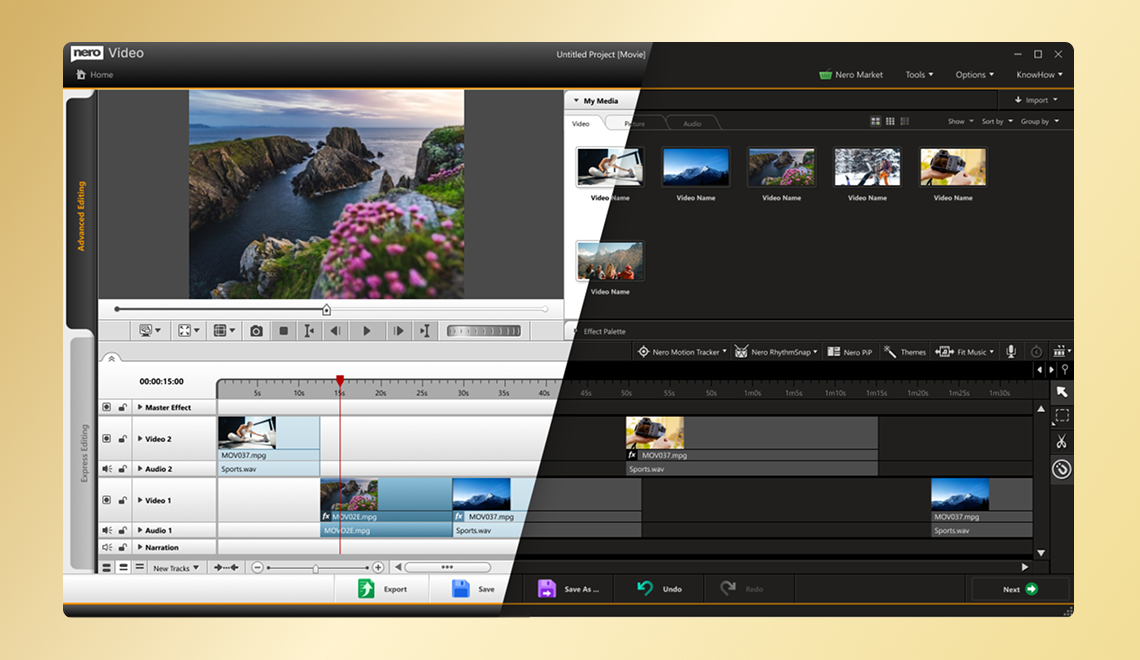
Nero Video is a fully featured, easy-to-use video editing application that can be used to create professional-looking videos quickly. Nero Video offers a template- and storyboard-based Express Editing mode that makes it easy to get started with video editing. An Advanced Editing mode offers more options and more precise control over the entire editing experience.

Nero Video was created for hobbyists who want to create impressive, professional-looking videos but don’t want to invest the money or time into semi-professional or professional editing software.

Yes. The name has changed but many of the features of Nero Vision are included in Nero Video.

  • Import directly from Windows Live Movie Maker
  • Switch from Express Editing mode to Advanced Editing mode in one click without leaving the editing interface
  • New audio and video effects
  • New advanced audio filters
  • New HD preview
  • Picture-in-Picture Effect Generator included in Express Editing mode
  • Flexible SmartEncoding
  • Complete AVC GPU hardware accelerated encoding
  • Improved background rendering performance
  • Nero MediaBrowser integration
  • A new start screen provides easier access to everything you need to do to capture, edit, create and publish videos

Nero 11 makes it easy to create cinema-quality videos in the highest definition quality. Import from the latest AVCHD camcorders and output with SmartEncoding to Blu-ray Disc, AVCHD or MPEG 2 HD for the fastest video output and superb playback.

Both Nero 11 and Nero 11 Platinum allow you to output movies to Blu-ray Disc if you have a writable drive. Blu-ray Disc playback comes standard with Nero 11 Platinum. Nero 11 supports it with the downloadable Nero Kwik Blu-ray App.

Nero Video’s Express Mode uses an enhanced storyboard view to help anyone get started with video editing and create professional looking videos quickly. You can easily add videos, photos and music to your project, as well as drag and drop special effects and transitions to spruce it up.

For users who are comfortable with video editing or who require precise control over their projects, the Advanced Editing mode offers a traditional multi-track view, multiple audio tracks and advanced audio effects, plus complete key-frame control.

Yes. This is a new feature in Nero 11. Entire projects that were created in Windows Live Movie Maker, including all previously applied edit points and effects, can easily be imported and improved in Nero Video.

Yes. You can do this easily in Nero KwikMedia and Nero Video.

SmartEncoding saves a lot of time when you have finished editing your project and are now ready to export it to file, web or disc. Sequences that makes use of the same format, or that do not use any effects, are not rendered again.

Yes. Nero Video takes advantage of the latest graphics card technology to improve the speed and performance of video encoding. The new version of Nero Video supports more GP-Computing technologies from all manufacturers.

Yes. You can watch any of your favorite Blu-ray Disc movies in razor sharp clarity and Dolby or DTS surround sound. Nero 11 users need to download the Nero Kwik Blu-ray app separately. The app is included in Nero 11 Platinum.

Not at this time.

Yes, the full bundle of creative effects for Nero Video is available as a download for Nero 11. They are already included with Nero 11 Platinum.

The Nero Creative Pack includes: Nero Video Transitions 1, Nero PiP Effects 1, Nero Image Samples, Nero Video Samples, Nero Kwik Themes 1-4, and Nero Disc Menus 1-3.

Yes. The Nero DTS plug-in is included with Nero 11 Platinum and is available for download from www.nero.com for Nero 11 users. Nero 11 users who add-on Nero Kwik Blu-ray will already have DTS Surround included.

Yes, mp3PRO is included with both Nero 11 and Nero 11 Platinum.

Nero BackItUp

Nero BackItUp 11 is the easiest way to ensure individual media files, or an entire system, are backed up safely and routinely. Turn on Nero BackItUp with one click and select either automatic or scheduled back up options. Backed up files can easily be restored in the event of an accidental deletion or file corruption.

  1. Nero LIVEBackup
  2. Network Attached Storage (NAS) auto-detection
  3. Kwik Media Library backup access
  4. Incremental drive backup support

Yes. The next generation of Nero BackItUp is dedicated to backup and restore features. Nero Express has been removed.

Nero LIVEBackup allows users to back up all of their internal drives to whatever target destination they want. It can be turned on with one click and it runs in the background to provide worry-free backup. Nero LIVEBackup only backs up changed files and merges them regularly to create a complete system backup. This reduces time and increases performance if users ever need to restore an individual file or their whole system.

Yes. Nero LIVEBackup replaces the former application Nero AutoBackup by introducing a simpler ON/OFF user interface. Unlike its predecessor, Nero LIVEBackup also can create secure snapshots of the operating system with a single click.

Yes. Nero BackItUp automatically detects and backs up to NAS devices so users do not have to map or configure them manually. If you have a NAS device on your network, you can select it as your target for file backup; drive backup and new Nero LIVEBackup.

Yes. Nero 11 supports AES-NI hardware accelerated 256 bit encryption within the application Nero BackItUp.

Yes. Nero 11 provides flexible cloud backup storage options with the add-on Nero Online Backup. You can choose from either 5GB or 25GB of cloud storage capacity for an attractively priced annual subscription. Nero 11 Platinum includes 5GB of cloud storage through Nero Online Backup free for one year.

Yes. Nero RescueAgent is still available to help you recover files from CD, DVD, hard drives, USB sticks or memory cards that may have been damaged or accidentally deleted.

Nero Recode

The redesigned Nero Recode application makes it effortless to change the format of multimedia files and optimize them to play back in the highest quality supported by various PC, mobile and tablet devices. Nero Recode gives you control over the quality and size of video and audio files when you rip non-copy protected DVDs and copy or transfer them from one device to another.

Nero Recode was completely redesigned for Nero 11. The previous version only supported AVI and MP4. Now Nero Recode supports all file formats for video playback, including MKV. The interface is also much more intuitive. Just drag and drop files into the “Drop Zone,” select or customize profile settings for the type of device you want to optimize it for, and click a button to start the transcoding. Nero Recode now also allows batch encoding so you can transcode multiple videos at once.

The following improvements have been made to Nero Recode:

  • Nero MediaBrowser integration
  • Support for the majority of video file formats, including MKV
  • New Drop Zone start page makes it easy to set up transcoding tasks and convert video and audio files in batches rather than individually
  • Drop Zone automatically detects imported content and recommends options for capturing content from different video sources
  • Create and save customized profile settings for all of your devices so you can quickly transfer files to those devices in your preferred file formats
  • Intuitive, visual quality slider tells you when the bit rate you have selected for a file is appropriate for the playback device
  • GPU hardware accelerated transcoding for Intel Media SDK 2.0, NVidia Cuda and AMD APP Acceleration
  • Extract only audio tracks from a DVD
  • Support for more encoding formats, including 3GP, AIFF, APE, FLAC, MKV, MP3, MP3HD, OGG, MPEG-2, HD-AAC, WMA, WMV

Nero Recode supports the following decoding file formats: 3GP, AIFF, AMR, APE, ASF, AVI, FLAC, M2TS, MKV, MOV, MP3, MP3HD, MPEG-1, MPEG-2, MPEG-4, OGG Vorbis, TOD, TRP, VOB, WAVE, WMA, WMV

Nero Recode supports the following encoding file formats: 3GP, AVI, AIFF, APE, FLAC, FLV, MKV, MP3, MP3HD, MPEG-4, OGG, Vorbis, MPEG-2, HD-AAC, WAVE, WMA, WMV

Nero Burning ROM

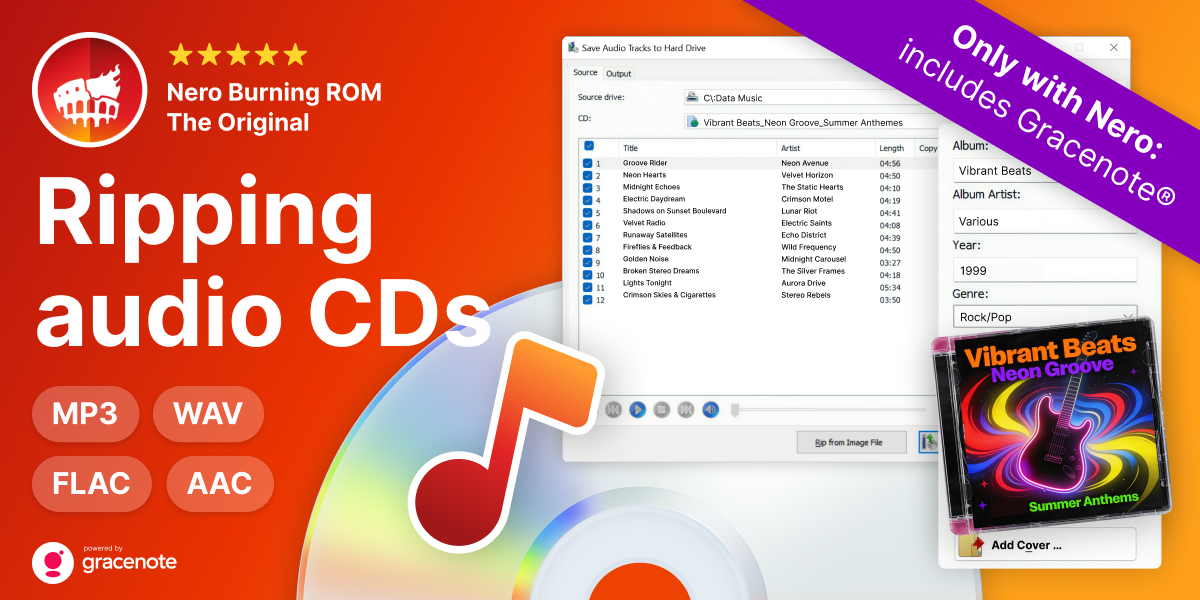
Preserve your photos, videos, music with the most established and sophisticated burning technology in the industry. The award-winning Nero Burning ROM lets you burn and copy your important data, audio and videos to CD, DVD and Blu-ray Discs, as well as, rip music CDs. Nero Burning ROM gives you full, customized control of your burning projects with features such as Nero DiscSpan, which splits oversized files and burns them to the number of required discs at once, plus encoding to convert saved audio files into other formats for maximum efficiency. Key security features such as password encryption for secure digital signatures of sensitive data and copy protection to fully control the security of your burned discs.

  • SecurDisc 3.0
  • SecurDisc Surface Scan

SecurDisc Surface Scan in Nero Burning ROM offers additional reliability for burned optical discs. It checks the surface of optical discs for errors (e.g. scratches) that would impede the readability of the data. A visual display gives a quick overview of the optical disc condition and shows where data may not be stored reliably.

This feature can also be used for non-SecurDisc discs to increase the reliability of standard disc formats such as ISO and UDF.